A disk fills up. You need to know what’s eating it, and you need to know now. There are a dozen ways to work that out, and you will have forgotten all of them by the time it happens again.
That’s roughly where I found myself recently: digging through search results for the hundredth time, taking the good bits from each. What follows is the result. Partly for anyone else who lands here, mostly as a post-it note for myself.

Photo by Ilya Pavlov on Unsplash
The quick one
du -a . | sort -nr | head -n 10
Read it left to right: give me the size of everything in this directory, sort it numerically, largest first, then stop after ten.
Broken down by command:
du
-a— include individual files, not just directory totals
sort
-n— sort numerically rather than as text, so 100 beats 99-r— reverse the order, putting the largest at the top
head
-n 10— print ten lines and stop
Swap the . for a path to aim it somewhere specific — du -a /home/user | sort -nr | head -n 10. And if bytes are hard on the eyes, du -ah . | sort -rh | head -n 10 gives you human-readable sizes, with sort -h clever enough to know that 2G outranks 900M.
The one I actually use
find . -type f -printf '%s %p\n' | sort -nr | head -10
On the surface, no different from du -a. With one adjustment, though, it fixes a pet peeve of mine.
Here’s the peeve:
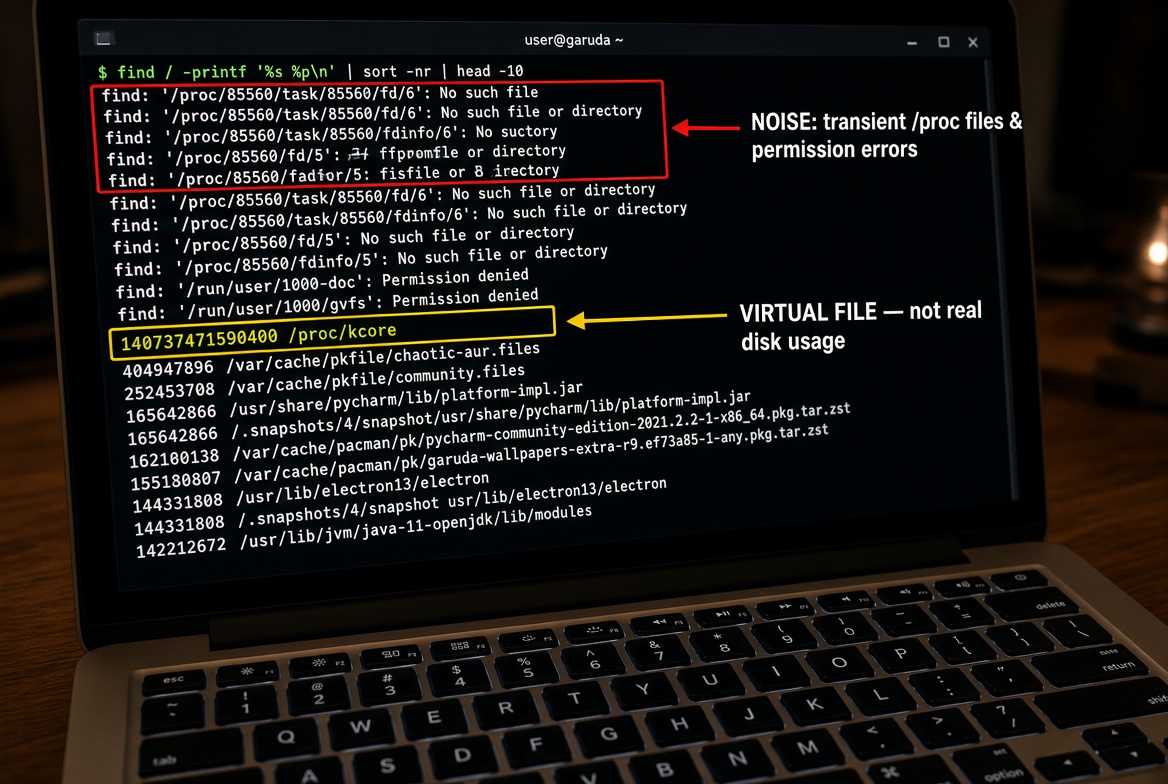
$ find / -printf '%s %p\n' | sort -nr | head -10
find: ‘/proc/85560/task/85560/fd/6’: No such file or directory
find: ‘/proc/85560/task/85560/fdinfo/6’: No such file or directory
find: ‘/proc/85560/fd/5’: No such file or directory
find: ‘/proc/85560/fdinfo/5’: No such file or directory
find: ‘/run/user/1000/doc’: Permission denied
find: ‘/run/user/1000/gvfs’: Permission denied
140737471590400 /proc/kcore
404947896 /var/cache/pkgfile/chaotic-aur.files
252453708 /var/cache/pkgfile/community.files
165642866 /usr/share/pycharm/lib/platform-impl.jar
165642866 /.snapshots/4/snapshot/usr/share/pycharm/lib/platform-impl.jar
162100138 /var/cache/pacman/pkg/pycharm-community-edition-2021.2.2-1-x86_64.pkg.tar.zst
155180807 /var/cache/pacman/pkg/garuda-wallpapers-extra-r9.ef73a85-1-any.pkg.tar.zst
144331808 /usr/lib/electron13/electron
144331808 /.snapshots/4/snapshot/usr/lib/electron13/electron
142212672 /usr/lib/jvm/java-11-openjdk/lib/modules
All that noise at the top. Worse, /proc/kcore walks in at 140TB and takes the top slot — it’s a virtual window onto system memory, not a file on your disk, and it will never be the thing you’re looking for.
The obvious fix is to prune the offending paths by name:
find / -not \( -path /proc -prune \) -not \( -path /run -prune \) -printf '%s %p\n' | sort -nr | head -10
That works, and it’s where I started. But it has a trap waiting: the path you prune has to match the path find actually builds. Start from . instead of / and find produces ./proc/..., which -path /proc will never match. The prune silently does nothing and you’re back where you began.
So skip the name matching entirely:
find / -xdev -type f -printf '%s %p\n' 2>/dev/null | sort -nr | head -10
-xdev tells find to stay on one filesystem. /proc, /sys and /run are all mounted separately, so they disappear without you naming a single one — and it keeps working no matter which directory you start from. -type f restricts results to actual files, which stops directories elbowing their way into a list of largest files. 2>/dev/null mops up whatever permission errors remain.
$ find / -xdev -type f -printf '%s %p\n' 2>/dev/null | sort -nr | head -10
23588364288 /home/sspade/\.PHYSICALDRIVE1
6594462816 /usr/share/ollama/.ollama/models/blobs/sha256-dec52a44569a2a25341c4e4d3fee25846eed4f6f0b936278e3a3c900bb99d37c
4183948864 /usr/share/ollama/.ollama/models/blobs/sha256-9835c690d5f2e0a3aef767a57efa1cb65ca5b70745393b3e4c47f88a7594a1cf
2019377376 /usr/share/ollama/.ollama/models/blobs/sha256-dde5aa3fc5ffc17176b5e8bdc82f587b24b2678c6c66101bf7da77af9f7ccdff
1788167824 /usr/local/lib/ollama/cuda_v12/libggml-cuda.so
1128430816 /home/sspade/dev/ogeka/src-tauri/target/debug/libogeka_lib.a
1128099394 /home/sspade/dev/ogeka/src-tauri/target/debug/deps/libogeka_lib.a
1000520882 /home/sspade/dev/test-in-browser/src-tauri/target/debug/libtest_in_browser_lib.a
1000520882 /home/sspade/dev/test-in-browser/src-tauri/target/debug/deps/libtest_in_browser_lib.a
719833184 /usr/local/lib/ollama/cuda_v12/libcublasLt.so.12.8.5.5
No errors, no /proc, no directories padding out the list. Ten actual files, largest first.
Two notes on the output. The sizes are in bytes; %k gives you disk space instead, measured in 1K blocks. Those aren’t the same number — %s is the file’s apparent size, %k is what it actually occupies once the filesystem has rounded things up. For the same reason, du and find will disagree with each other. du reports disk usage, find -printf '%s' reports apparent size, and on sparse files or a directory full of tiny ones the gap gets wide. Neither is wrong. They’re answering different questions.
One more: -printf is a GNU extension. It’s on every mainstream Linux distribution, but if you wander onto macOS or BSD you’ll need gfind, or fall back to du.
Make it a single word
Typing that out every time defeats the purpose. Wrap it:
alias search="find . -xdev -type f -printf '%s %p\n' 2>/dev/null | sort -nr | head -10"
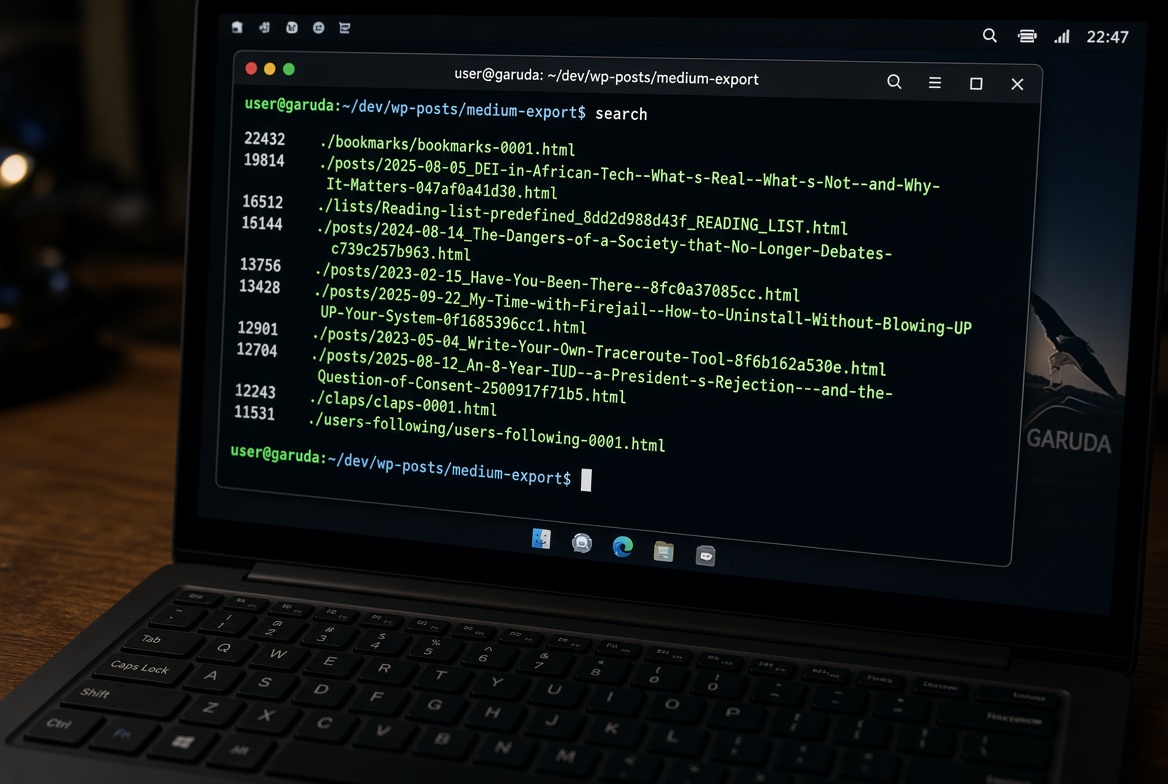
Now search lists the ten largest files in whatever directory you’re standing in.
$ cd ~/dev/wp-posts/medium-export
$ search
22432 ./bookmarks/bookmarks-0001.html
19814 ./posts/2025-08-05_DEI-in-African-Tech--What-s-Real--What-s-Not--and-Why-It-Matters-047af0a41d30.html
16512 ./lists/Reading-list-predefined_8dd2d988d43f_READING_LIST.html
15144 ./posts/2024-08-14_The-Dangers-of-a-Society-that-No-Longer-Debates-c739c257b963.html
13756 ./posts/2023-02-15_Have-You-Been-There--8fc0a37085cc.html
13428 ./posts/2025-09-22_My-Time-with-Firejail--How-to-Uninstall-Without-Blowing-Up-Your-System-0f1685396cc1.html
12901 ./posts/2023-05-04_Write-Your-Own-Traceroute-Tool-8f6b162a530e.html
12704 ./posts/2025-08-12_An-8-Year-IUD--a-President-s-Rejection---and-the-Question-of-Consent-2500917f71b5.html
12243 ./claps/claps-0001.html
11531 ./users-following/users-following-0001.html
Defined that way it dies with your shell session. To keep it, add the line to your shell’s config file:
- Bash —
~/.bashrc - Zsh —
~/.zshrc - Fish —
~/.config/fish/config.fish
Open a new terminal and it’s there.
Yes, there are nicer tools
ncdu gives you an interactive tree you can walk through and delete from. dust and gdu are faster and prettier. If you’re on your own machine and you can install things, install one of them — they’re genuinely better for browsing.
But that’s the catch. Everything above is already on the box, which matters at 2am when you’re on a borrowed SSH session, the disk is at 99%, and there isn’t enough room left to install the nicer tool anyway.